Embedded Web UI
The ui package provides a full-featured monitoring dashboard that embeds directly into your Go application. It serves a Svelte SPA frontend alongside a Connect-RPC API, giving you real-time visibility into job queues, execution history, and worker status without deploying a separate service.
Setup
Import the ui package and mount the handler on any http.ServeMux or router.
ui.Handler fails closed. Without either ui.WithAuthorizer
or ui.WithInsecureAllowUnauthenticated,
every RPC returns PermissionDenied — the SPA shell loads and then shows
nothing, with no error on the server side to explain it. The quickstart below
uses the insecure opt-in and therefore binds explicitly to 127.0.0.1 — note
that a bare :8080 would bind every interface and publish the whole dashboard,
mutating RPCs included. Anything reachable by other people needs a real
authorizer, not a loopback bind. See
Dashboard Authorization.package main
import (
"context"
"log"
"net/http"
"time"
jobs "github.com/jdziat/simple-durable-jobs/v4"
"github.com/jdziat/simple-durable-jobs/v4/ui"
"gorm.io/driver/sqlite"
"gorm.io/gorm"
)
func main() {
db, _ := gorm.Open(sqlite.Open("jobs.db?_journal_mode=WAL&_busy_timeout=5000&_txlock=immediate"), &gorm.Config{})
storage := jobs.NewGormStorage(db)
storage.Migrate(context.Background())
queue := jobs.New(storage)
// Register your job handlers
queue.Register("example", func(ctx context.Context, args string) error {
return nil
})
// Start worker
ctx, cancel := context.WithCancel(context.Background())
defer cancel()
worker := jobs.NewWorker(queue)
go worker.Start(ctx)
// Mount the UI dashboard
mux := http.NewServeMux()
mux.Handle("/jobs/", http.StripPrefix("/jobs", ui.Handler(storage,
ui.WithQueue(queue),
ui.WithContext(ctx),
// Keeps a week of stats instead of the 31-day default. The 30d (and
// the tail of the 7d) throughput chart will render short as a result.
ui.WithStatsRetention(7 * 24 * time.Hour),
// REQUIRED: the handler fails closed. Safe only because this listener
// is bound to 127.0.0.1 below. In production use ui.WithAuthorizer.
ui.WithInsecureAllowUnauthenticated(),
ui.WithMiddleware(func(next http.Handler) http.Handler {
return http.HandlerFunc(func(w http.ResponseWriter, r *http.Request) {
// Add authentication, logging, etc.
next.ServeHTTP(w, r)
})
}),
)))
// 127.0.0.1, NOT ":8080". An empty host binds EVERY interface, which would
// serve this unauthenticated dashboard — including the mutating RPCs like
// CancelJob and PauseQueue — to anyone who can route to the host.
log.Println("Dashboard available at http://127.0.0.1:8080/jobs/")
log.Fatal(http.ListenAndServe("127.0.0.1:8080", mux))
}Mount path
ui.Handler works at any mount path. Its assets and its RPC calls are addressed relative to the document, so it does not need to be told the prefix:
mux.Handle("/jobs/", http.StripPrefix("/jobs", ui.Handler(storage)))  // http://host/jobs/
mux.Handle("/", ui.Handler(storage))                                  // http://host/
One requirement: the mount root must be reachable with a trailing slash (/jobs/, not /jobs). http.ServeMux redirects the bare form automatically for the "/jobs/" pattern above; if you use a router that serves the shell at /jobs with no redirect, add one, or the browser resolves the relative asset URLs one directory too high.
Unknown extension-less paths under the mount redirect (302) to the mount root, with a relative Location. The app routes on the URL fragment (/jobs/#/queues), so the shell is only ever correct at the mount root itself. The redirect has to be relative because http.StripPrefix has already removed the prefix by the time the handler runs – it cannot know what it is mounted under, and an absolute / would send the browser to your site root, outside the mount.
A reverse proxy that strips the prefix (proxy_pass http://app/;) pairs with a root mount; a proxy that preserves it pairs with the StripPrefix form above.
The ui.Handler function returns an http.Handler that serves both the Connect-RPC API and the embedded Svelte SPA frontend. It uses H2C (HTTP/2 over cleartext) internally to support Connect streaming without requiring TLS. If the frontend has not been built, a placeholder page is shown with instructions.
Options
All options are passed to ui.Handler as variadic arguments. The full set is
WithAuthorizer, WithInsecureAllowUnauthenticated, WithAllowedOrigins,
WithQueue, WithContext, WithStatsRetention, WithMiddleware,
WithoutH2C, WithMetadataRedaction and WithScheduleOverdueThreshold.
(WithInsecureAllowUnauthenticatedWrites is a deprecated alias for
WithInsecureAllowUnauthenticated.)
WithAuthorizer
ui.WithAuthorizer(myAuthorizer) // myAuthorizer implements ui.AuthorizerGates every RPC. The interceptor classifies the procedure into a ui.Action
(ActionViewStats, ActionViewJobs, ActionCancelJob, ActionPauseQueue, …)
and calls Authorize(ctx, action); returning a non-nil error denies the call.
ui.Handler fails closed: with neither this option nor
WithInsecureAllowUnauthenticated, every RPC returns PermissionDenied. See
Dashboard Authorization for the
full action-to-RPC table and worked examples.
WithMiddleware does not satisfy the gate — HTTP middleware cannot grant
RPC access.
WithInsecureAllowUnauthenticated
ui.WithInsecureAllowUnauthenticated()Permits every dashboard RPC — reads and mutations, including CancelJob and
PauseQueue — with no authorization at all. Local development and trusted
networks only.
WithAllowedOrigins
ui.WithAllowedOrigins("https://ops.example.com")Adds origins that may issue mutating RPCs from a browser, on top of the
default same-origin rule. Requests with no Origin header (CLI and
server-to-server Connect clients) are unaffected.
WithMetadataRedaction
ui.WithMetadataRedaction(false)Controls best-effort redaction of secret-looking job metadata values in
dashboard responses. Enabled by default; pass false to see raw values.
WithScheduleOverdueThreshold
ui.WithScheduleOverdueThreshold(5 * time.Minute)Grace period before a scheduled job whose next run has passed is reported
overdue in the Scheduled Jobs view. The default is 1 minute
(ui.DefaultScheduleOverdueThreshold); a non-positive duration disables overdue
flagging entirely.
WithQueue
ui.WithQueue(queue)Provides access to the queue instance. This enables two features:
- Event streaming: The
WatchEventsRPC method subscribes to real-time job events through the queue’s event bus. - Scheduled jobs view: The
ListScheduledJobsRPC method reads registered schedules from the queue.
Without this option, event streaming returns no events and the scheduled jobs list is empty.
WithContext
ui.WithContext(ctx)Provides a lifecycle context for background goroutines, primarily the stats collector. When the context is cancelled, the stats collector flushes any pending counters (with a 5-second timeout) and exits gracefully.
If not provided, context.Background() is used and background goroutines run until the process exits.
WithStatsRetention
ui.WithStatsRetention(7 * 24 * time.Hour)Controls how long historical stats rows are kept in the database. Older rows are pruned automatically during each flush cycle. The default is 31 days, which covers the dashboard’s longest (30d) throughput window; lower it to reduce stats-table growth if you do not use the longer windows.
WithMiddleware
ui.WithMiddleware(func(next http.Handler) http.Handler {
    return http.HandlerFunc(func(w http.ResponseWriter, r *http.Request) {
        // Check auth, set CORS headers, log requests, etc.
        next.ServeHTTP(w, r)
    })
})
Wraps the entire handler (both API and frontend) with middleware. This is the recommended place to add authentication, CORS, request logging, or any other cross-cutting HTTP concerns.
The middleware runs inside the H2C handler, so it is invoked for the initial request and for every HTTP/2 stream on an upgraded connection. This ordering is load-bearing for authentication: H2C hijacks the connection on an Upgrade: h2c request and then serves subsequent streams itself, so middleware applied outside it would be consulted only once — on the upgrade — and bypassed thereafter.
If you terminate HTTP/2 yourself (behind TLS, or via Go 1.24+’s srv.Protocols.SetUnencryptedHTTP2(true)), use ui.WithoutH2C() to skip the built-in upgrade handler entirely.
WithoutH2C
ui.WithoutH2C()Disables the built-in cleartext-HTTP/2 (h2c) upgrade wrapper.
The dashboard wraps its handler in h2c so Connect streaming works over plain HTTP. If you already terminate HTTP/2 yourself — behind TLS, or via Go 1.24+’s srv.Protocols.SetUnencryptedHTTP2(true) — the built-in wrapper is redundant, and disabling it means no connection is hijacked inside the library at all.
Middleware supplied via WithMiddleware runs on every request either way; this option governs who owns protocol negotiation, not authentication.
Dashboard Features
The embedded Svelte SPA provides a browser-based interface for monitoring and managing jobs.
Queue Overview
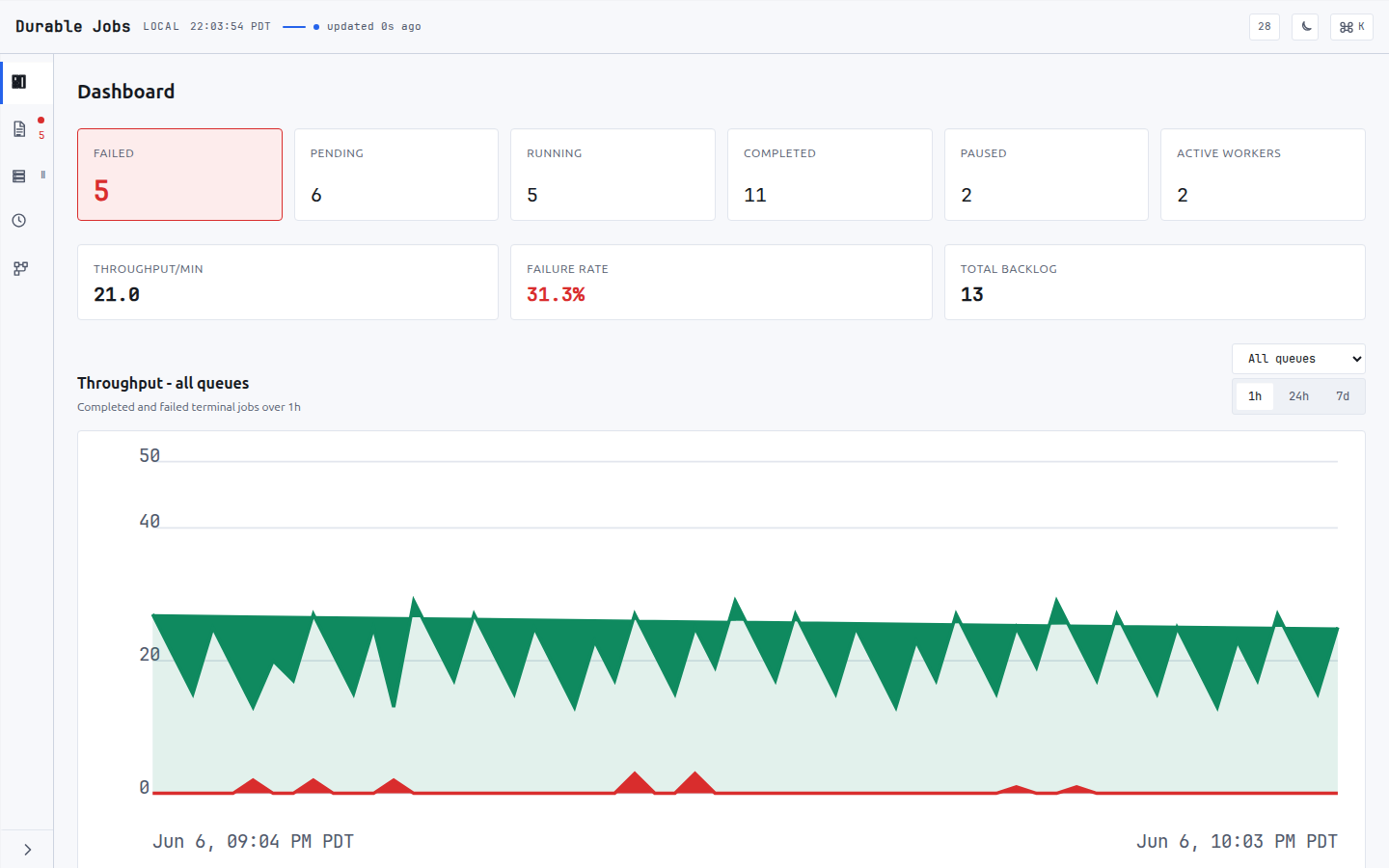
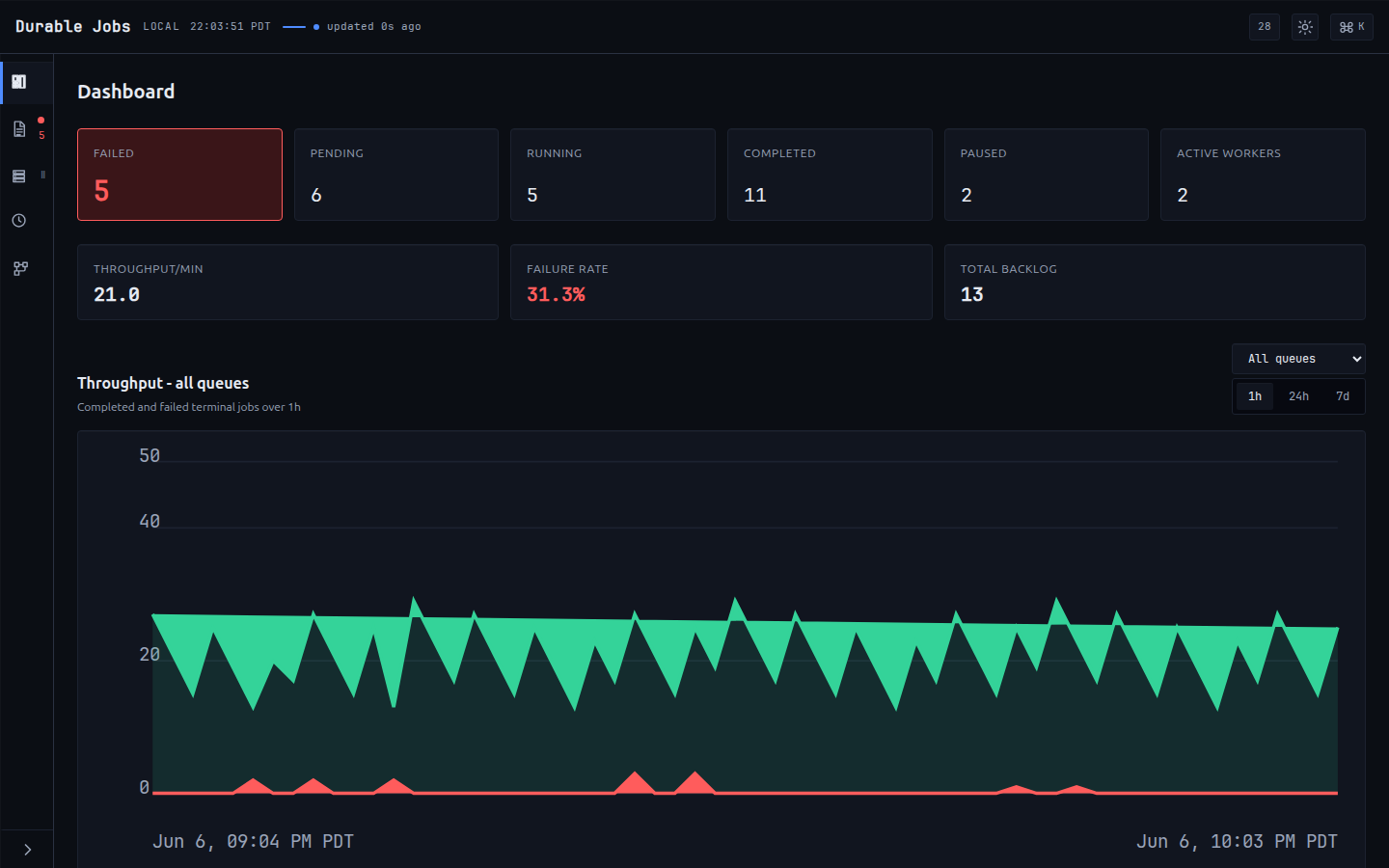
The dashboard home screen shows aggregate statistics across all queues:
- Pending – jobs waiting to be picked up by a worker.
- Running – jobs currently being executed.
- Completed – jobs that finished successfully.
- Failed – jobs that exhausted all retry attempts.
Each queue is listed individually with its own breakdown of these counts.
Job Browser
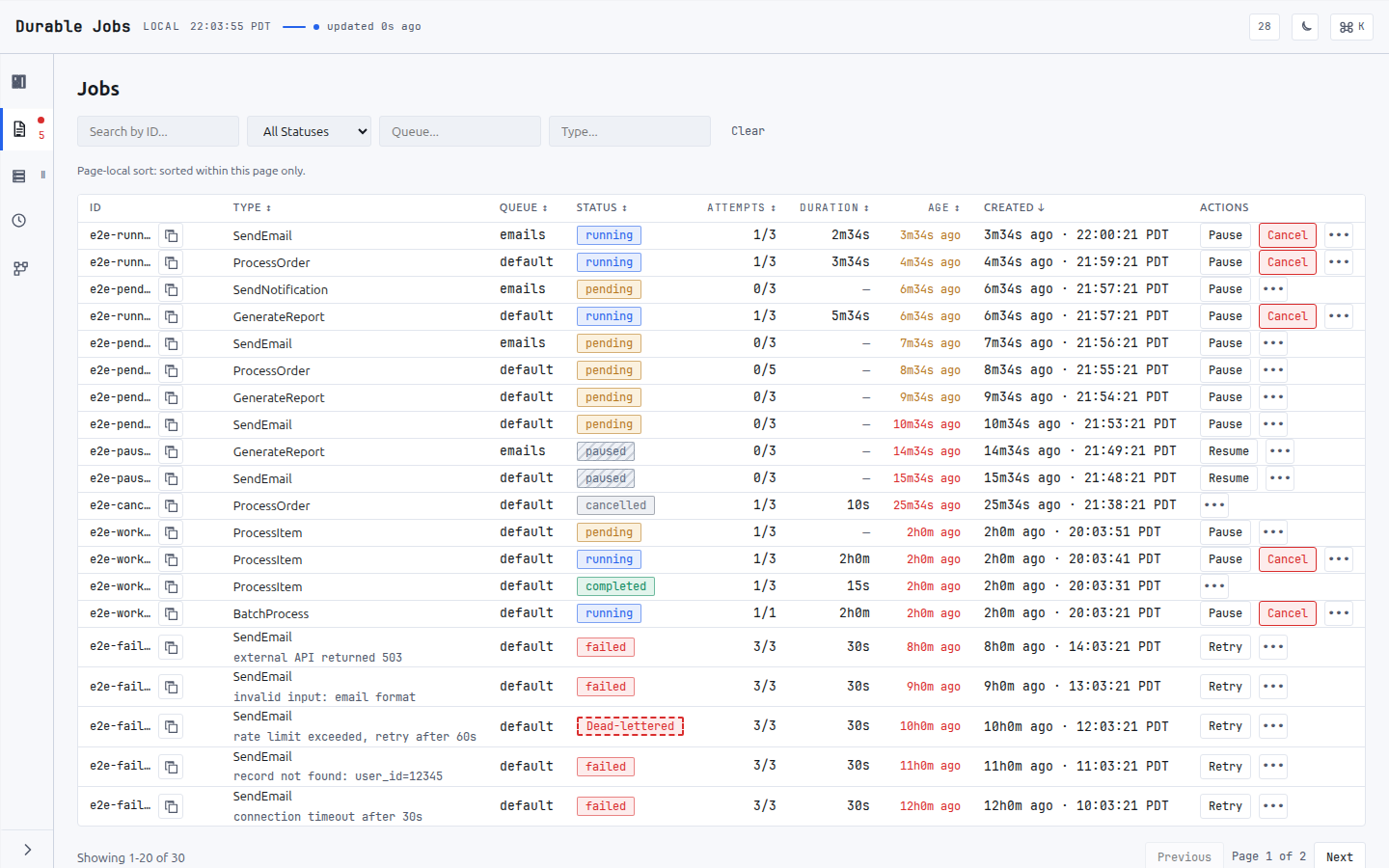
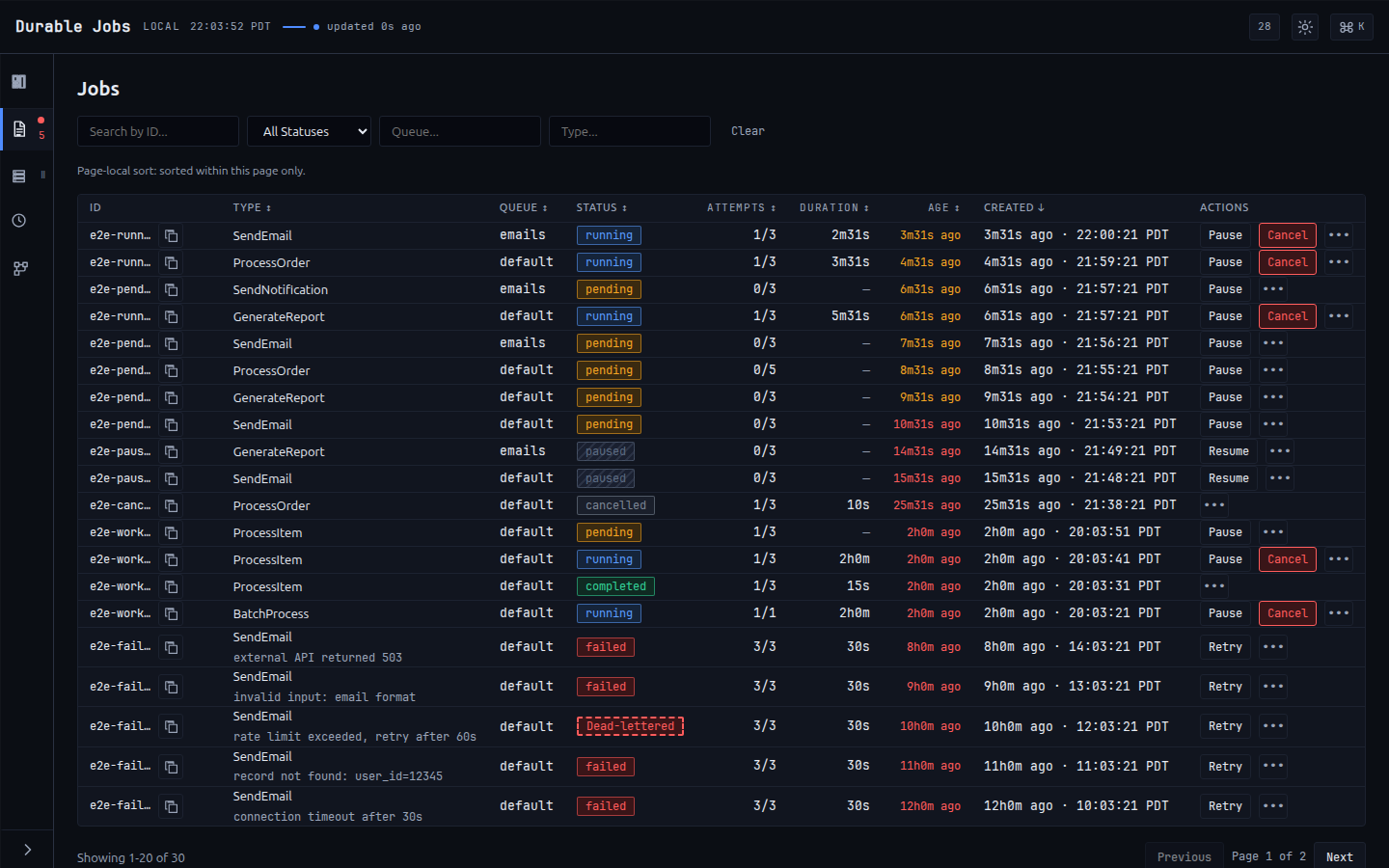
A paginated, filterable view of all jobs. You can filter by:
- Status – pending, running, completed, or failed.
- Queue – show jobs from a specific queue.
- Type – filter by job type name.
- Search – free-text search across job ID and arguments.
Job Detail
Selecting a job shows its full details including arguments, timing, error messages, retry count, and all checkpoints recorded during workflow execution.
Job Actions
From the UI you can perform management actions on jobs:
- Retry a failed job (resets it to pending).
- Delete a job.
- Bulk retry or bulk delete multiple selected jobs.
- Purge an entire queue by status.
Scheduled Jobs
When WithQueue is provided, the dashboard lists all registered scheduled jobs with their schedule expressions and target queues.
Workflows
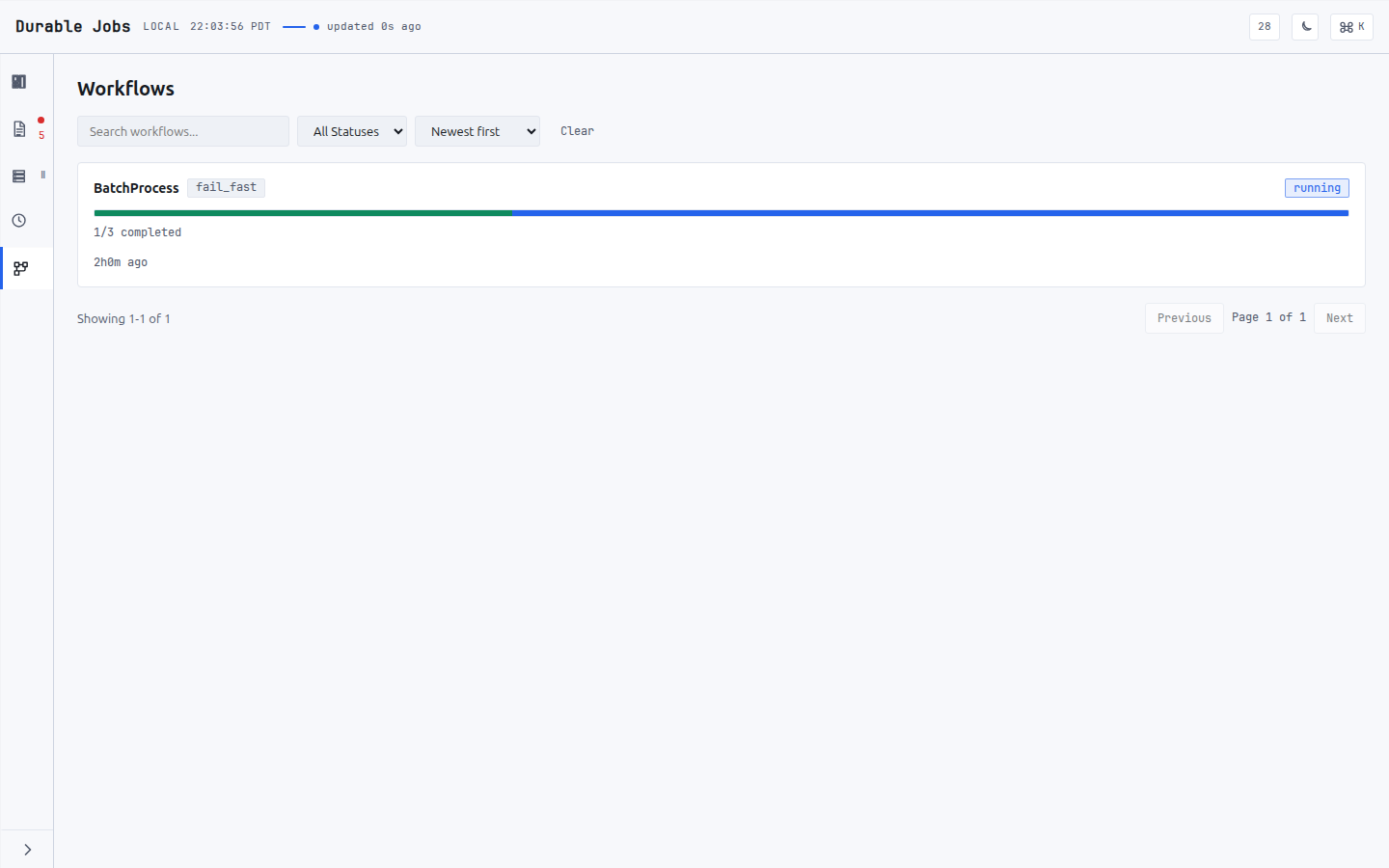
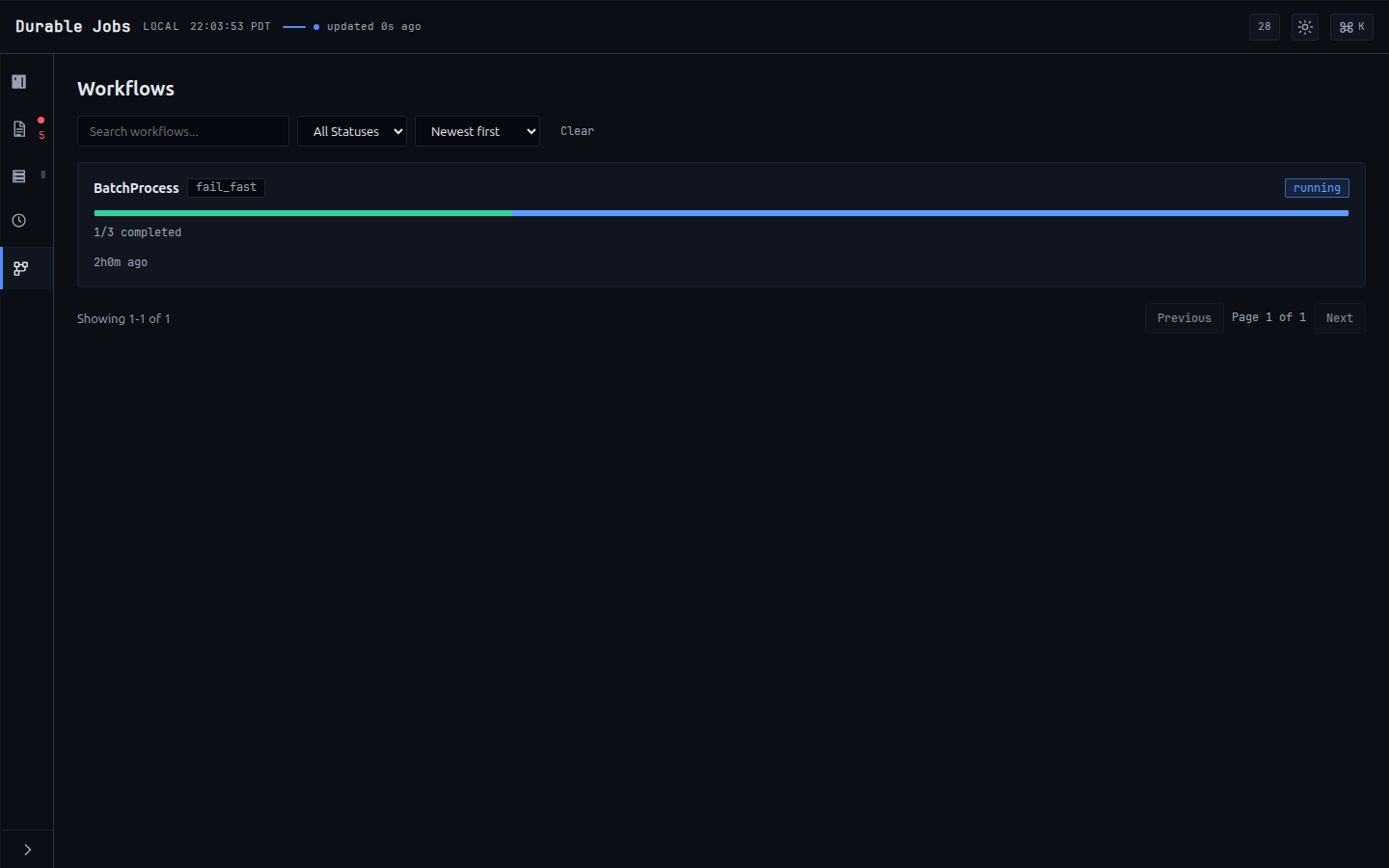
Fan-out/fan-in jobs get a dedicated view showing each parent workflow, its strategy (fail_fast, collect_all, or threshold), a progress bar of completed/failed children, and live status.
Historical Charts
When the stats collector is active (requires WithQueue and a GORM-backed storage), the dashboard shows time-series charts of completed and failed jobs. The history can be viewed over four periods: 1h (1 hour), 24h (24 hours), 7d (7 days), and 30d (30 days). Each period spans its full window on a period-appropriate bucket width (1 minute, 30 minutes, 3 hours, 12 hours respectively), so the series stays bounded at roughly 48-60 points whichever period is selected. An unrecognised period string falls back to the 1h window and its 1-minute buckets.
30d is the longest window, which is why the default WithStatsRetention is 31 days — set it lower and the 30d chart renders short.
Real-Time Events
The dashboard uses server-streaming to display job events as they happen. Events include job started, completed, failed, retrying, paused, resumed, reclaimed (job.reclaimed, emitted when a stale lock is reclaimed by the reaper or an ownership audit), and queue/worker pause/resume notifications. Most events carry the full job record; the job.reclaimed event instead carries a job ID, worker ID, and reason (proto Event fields 5/6/7), where the reason is stale_lock (reaper) or ownership_audit. Events can be filtered by queue.
Stats Collector
The stats collector is a background goroutine that captures throughput and queue-depth metrics for the dashboard’s historical charts. It starts automatically when all of the following are true:
WithQueueis provided.- The underlying storage implements a GORM-backed interface (exposes a
DB() *gorm.DBmethod).
How It Works
The collector subscribes to the queue’s event bus and listens for three event types:
JobCompleted– increments the completed counter for the job’s queue.JobFailed– increments the failed counter.JobRetrying– increments the retried counter.
Counters are accumulated in memory per queue.
Every 1 minute, the collector performs three operations:
- Flush – writes the accumulated counters to the database as a
JobStatrow bucketed by the current minute. Counters are then reset to zero. - Snapshot – queries pending and running job counts from storage and writes them as queue-depth data points.
- Prune – deletes stats rows older than the configured retention period.
On context cancellation (graceful shutdown), the collector flushes any remaining counters with a 5-second timeout before exiting.
What the throughput series does and does not measure
The two series on the dashboard come from different places, and only one of them is fleet-wide.
Queue depth is fleet-wide. The snapshot counts pending and running jobs with a GROUP BY against the database, so it sees every worker’s work regardless of which process produced it.
Throughput is in-process only. The completed/failed/retried counters are fed by Queue.Events, an in-memory bus: a queue only emits events for jobs it ran. Under the multi-process topology this guide recommends – several worker processes against one database, one of them also serving the dashboard – the throughput chart and the live event feed therefore reflect only the process serving the dashboard, and under-report the fleet by roughly the ratio of processes.
It can also under-report within that one process. Each subscriber gets a 100-event buffer and Emit drops rather than blocks when it is full, so a burst that outruns the collector is lost rather than queued. That is the right trade for an event bus – a slow dashboard must never stall job execution – but it means the chart is a sample, not a ledger.
This is a property of the event bus, not a bug in the collector. The drop half is at least observable: Queue.DroppedEventCount() returns a running total, so a process that wants to can tell whether its own feed lost events (the dashboard does not surface it today). The multi-process half is not observable from inside one process at all — a queue simply has no way to know what its peers ran. If you need fleet-wide throughput, read it from the OpenTelemetry metrics in pkg/metrics (see Metrics), which every process exports to your collector. Treat the dashboard’s throughput chart as a view of one process.
Stats Model
Stats are stored in JobStat rows with the following fields:
| Field | Type | Description |
|---|---|---|
| Queue | string | Queue name |
| Timestamp | time.Time | Minute-bucketed timestamp |
| Pending | int64 | Snapshot of pending jobs at this time |
| Running | int64 | Snapshot of running jobs at this time |
| Completed | int64 | Jobs completed during this minute |
| Failed | int64 | Jobs failed during this minute |
| Retried | int64 | Jobs retried during this minute |
The StatsStorage interface defines the persistence layer:
type StatsStorage interface {
    MigrateStats(ctx context.Context) error
    UpsertStatCounters(ctx context.Context, queue string, ts time.Time,
        completed, failed, retried int64) error
    SnapshotQueueDepth(ctx context.Context, queue string, ts time.Time,
        pending, running int64) error
    GetStatsHistory(ctx context.Context, queue string,
        since time.Time, until time.Time) ([]JobStat, error)
    PruneStats(ctx context.Context, before time.Time) (int64, error)
}
A GORM-backed implementation (GormStatsStorage) is provided out of the box and is automatically configured when the storage layer supports it.
Connect-RPC API
The UI exposes a Connect-RPC service (jobs.v1.JobsService) with 19 methods. These can also be called programmatically from any Connect, gRPC, or gRPC-Web client.
Mounting the handler exposes all 19, including the terminal and fleet-wide mutations CancelJob, PauseQueue and ResumeQueue. Access is controlled by ui.WithAuthorizer, which is passed a distinct Action per RPC, not by the table below.
| Method | Type | Description |
|---|---|---|
GetStats | Unary | Returns aggregate statistics (pending, running, completed, failed) per queue and totals. |
GetStatsHistory | Unary | Returns historical stats data points filtered by period (1h, 24h, 7d, 30d). Returns completed and failed time series. |
ListJobs | Unary | Paginated job listing with filters for status, queue, type, and free-text search. Default page size is 50, maximum is 100. Requires UIStorage. |
GetJob | Unary | Returns a single job with its full details and all associated checkpoints. |
RetryJob | Unary | Resets a failed job back to pending status so it will be picked up again. Requires UIStorage. |
DeleteJob | Unary | Permanently removes a job from storage. Requires UIStorage. |
BulkRetryJobs | Unary | Retries multiple jobs by ID. Returns the count of successfully retried jobs plus a per-ID skipped list. |
BulkDeleteJobs | Unary | Deletes multiple jobs by ID. Returns the count of successfully deleted jobs plus a per-ID skipped list. |
PauseJob | Unary | Pauses a single job. Requires WithQueue. |
CancelJob | Unary | Terminally cancels a job. Requires WithQueue. |
ResumeJob | Unary | Resumes a paused job. Requires WithQueue. |
PauseQueue | Unary | Pauses an entire queue, halting dispatch fleet-wide. Requires WithQueue. |
ResumeQueue | Unary | Resumes a paused queue. Requires WithQueue. |
ListQueues | Unary | Returns all queues with per-queue statistics. |
PurgeQueue | Unary | Deletes jobs from a named queue filtered by status. Requires UIStorage. |
ListScheduledJobs | Unary | Returns all registered scheduled jobs with their schedule expressions and target queues. Requires WithQueue. |
GetWorkflow | Unary | Returns one fan-out/fan-in workflow tree, rooted at the job’s top-most ancestor. |
ListWorkflows | Unary | Paginated listing of workflow root jobs. Requires UIStorage. |
WatchEvents | Server streaming | Streams real-time job events. Supports filtering by queue names. Maximum 50 concurrent streams; additional connections receive a ResourceExhausted error. |
Advanced Topics
UIStorage Interface
The dashboard works with any core.Storage implementation, but provides enhanced functionality when the storage also implements the UIStorage interface:
type UIStorage interface {
    core.Storage
    GetQueueStats(ctx context.Context) ([]*jobsv1.QueueStats, error)
    SearchJobs(ctx context.Context, filter core.JobFilter) ([]*core.Job, int64, error)
    RetryJob(ctx context.Context, jobID core.UUID) (*core.Job, error)
    DeleteJob(ctx context.Context, jobID core.UUID) error
    PurgeJobs(ctx context.Context, queue string, status core.JobStatus) (int64, error)
    GetWorkflowRoots(ctx context.Context, status string, limit, offset int) ([]*core.Job, int64, error)
}
jobsv1 is github.com/jdziat/simple-durable-jobs/v4/ui/gen/jobs/v1. Job IDs
are core.UUID, a defined string type — a method that takes string does not
satisfy this interface.
UIStorage is discovered by a type assertion, not by a compile-time
requirement, so a storage that gets any member wrong (or omits one) produces no
build error at the call site. It silently loses the enhanced path instead. If
your custom backend is meant to satisfy it, add
var _ ui.UIStorage = (*YourStorage)(nil) to your package so the compiler
checks it for you.
When UIStorage is available:
- GetQueueStats runs an optimized aggregation query instead of fetching all jobs.
- SearchJobs supports server-side pagination, filtering, and search with no cap on total job count.
- RetryJob and DeleteJob perform direct database mutations.
- PurgeJobs deletes jobs from a queue by status in a single query.
- GetWorkflowRoots paginates workflow parent jobs for the Workflows view.
Without UIStorage, only GetStats/ListQueues degrade gracefully: they fall
back to core.Storage queries capped at 1000 jobs per status to prevent
excessive memory usage. The rest do not degrade, they fail:
ListJobsreturnsUnimplemented(“ListJobs requires storage with UI search support”), so the whole job browser is empty.ListWorkflowsreturnsUnimplemented, so the Workflows view is empty.RetryJob,DeleteJobandPurgeQueuereturnUnimplemented.BulkRetryJobs/BulkDeleteJobsstill returnOK, but withcount = 0and every requested ID listed inskipped.
Stream Limits
The WatchEvents endpoint enforces a maximum of 50 concurrent streaming connections. This limit is tracked with an atomic counter. When the limit is reached, new connections receive a ResourceExhausted error and should retry with backoff.
Streams can be filtered by queue name by passing a list of queue names in the request. When no filter is specified, all events are delivered. Each stream subscribes to the queue’s event bus and forwards events until the client disconnects or the server context is cancelled.